Platform Tutorial
Learn how to use Enclave System for automated RAMS compliance.
1. Classification Queue & Quotas
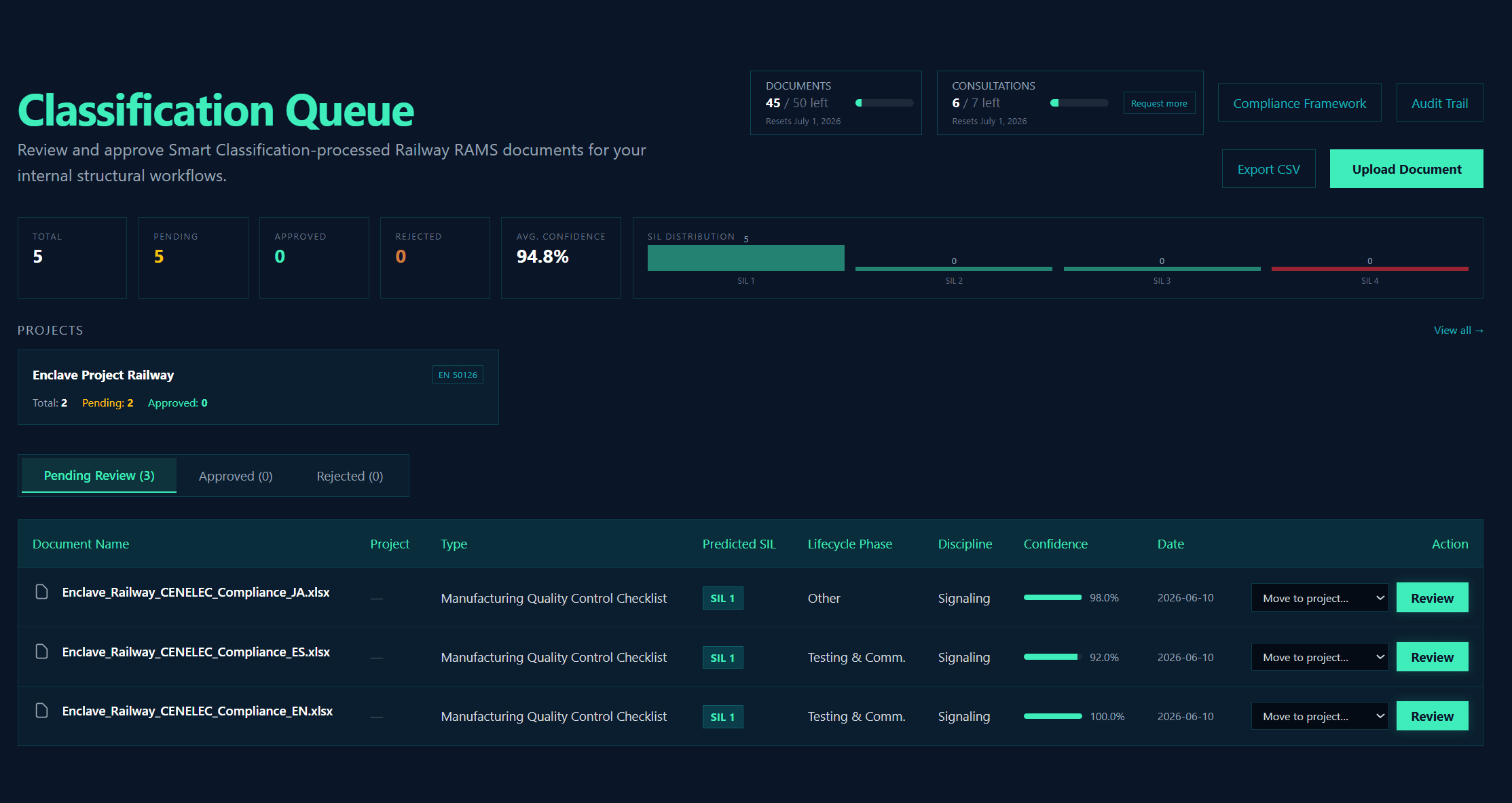
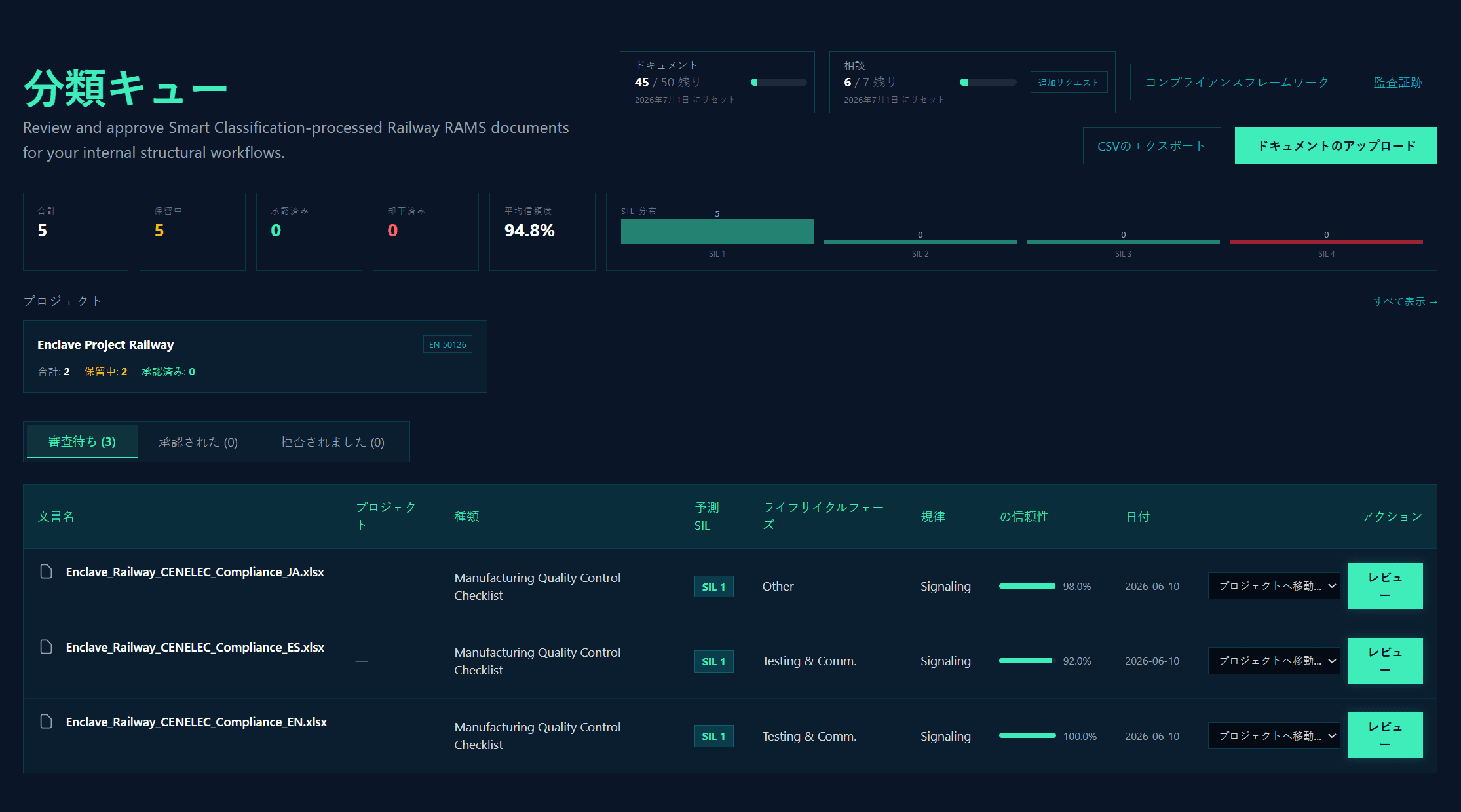
The Dashboard provides a unified view of all pending, approved, and rejected documents. Monitor your organization's monthly document and consultation quotas in real-time. The SIL distribution graph gives you a quick snapshot of the Safety Integrity Levels predicted across your queue.
2. Smart Classification & Auditor Review
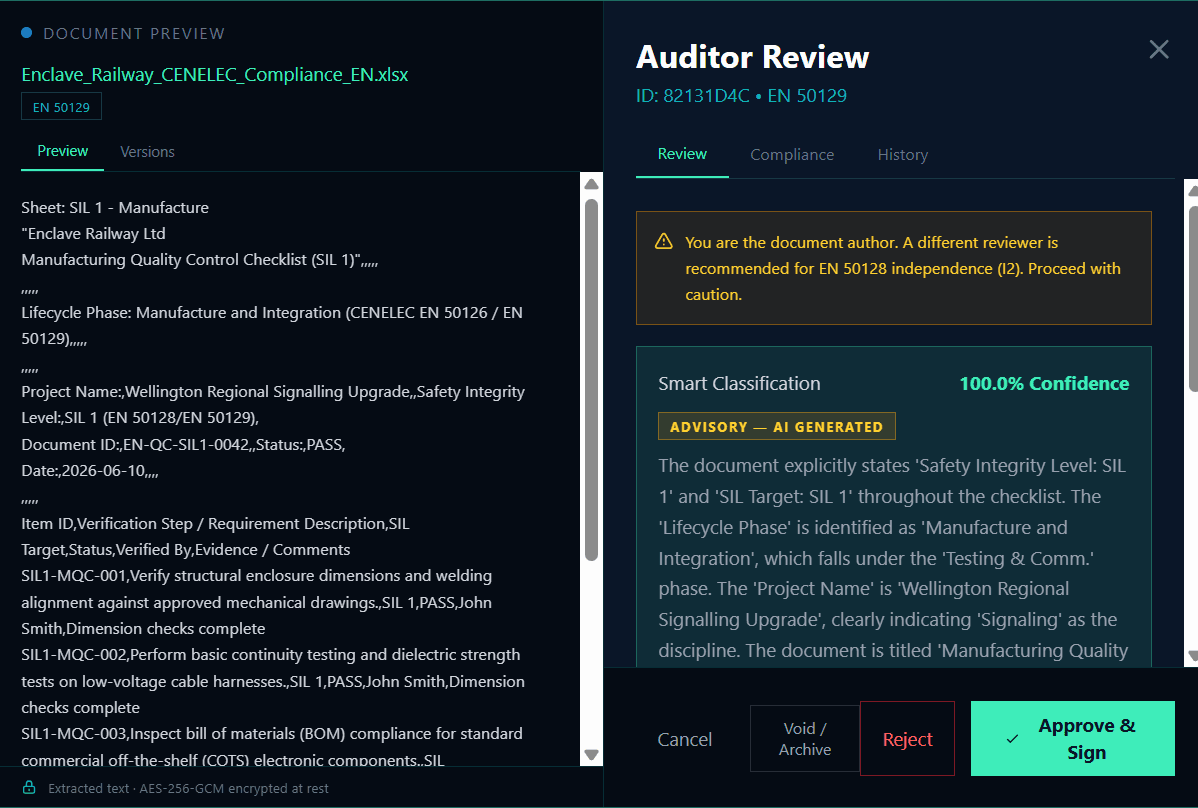
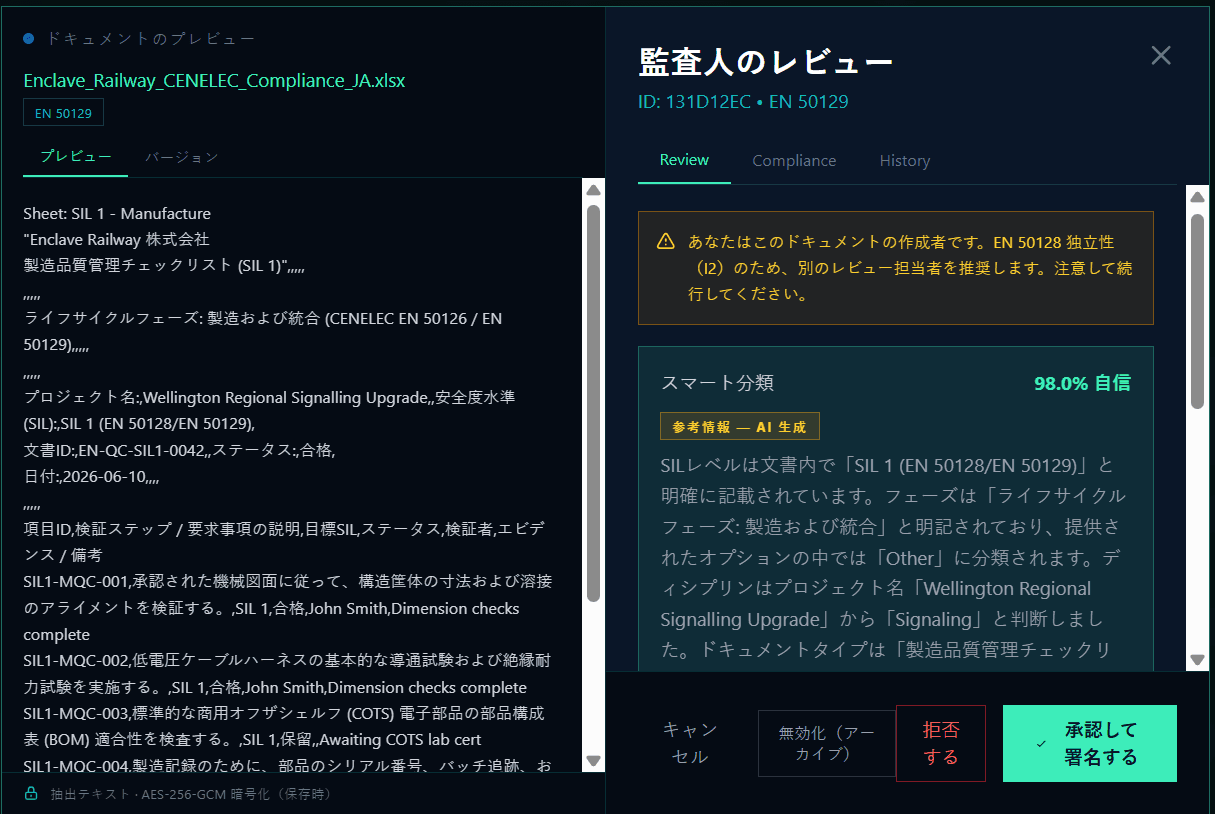
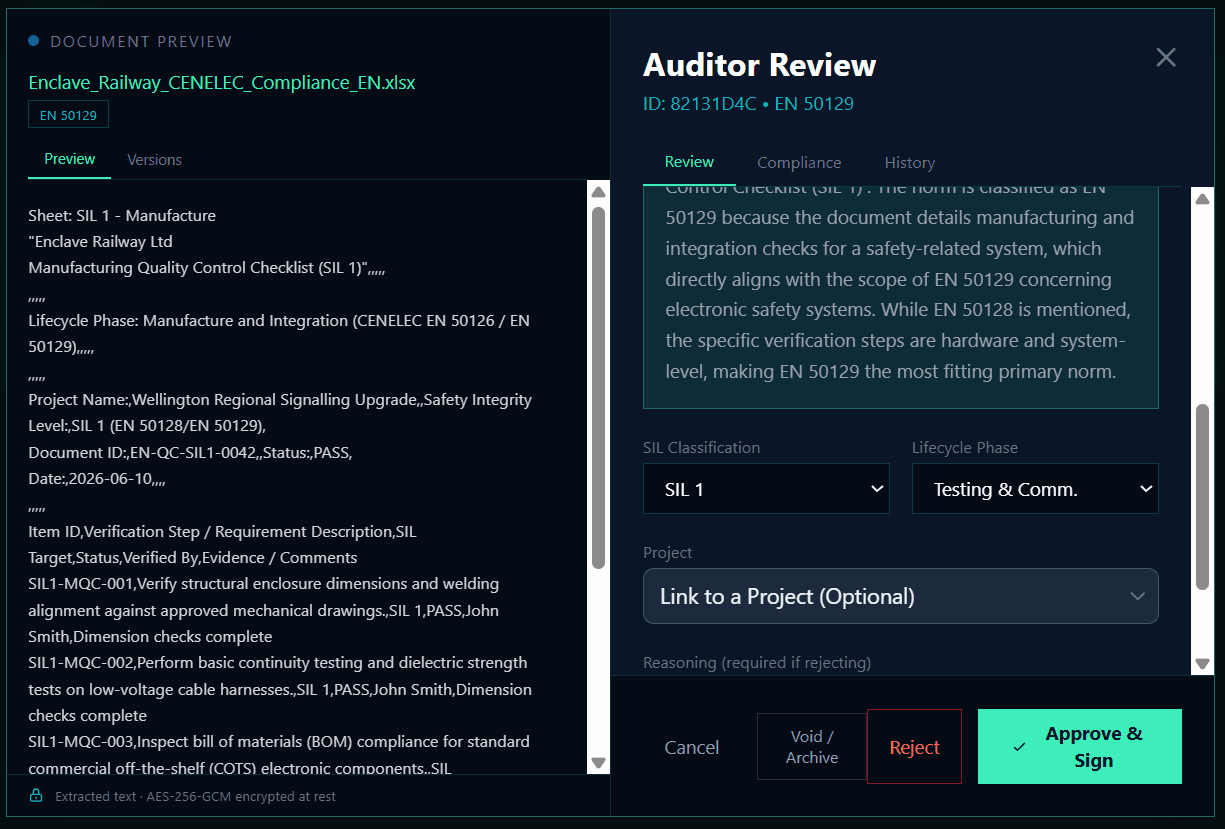
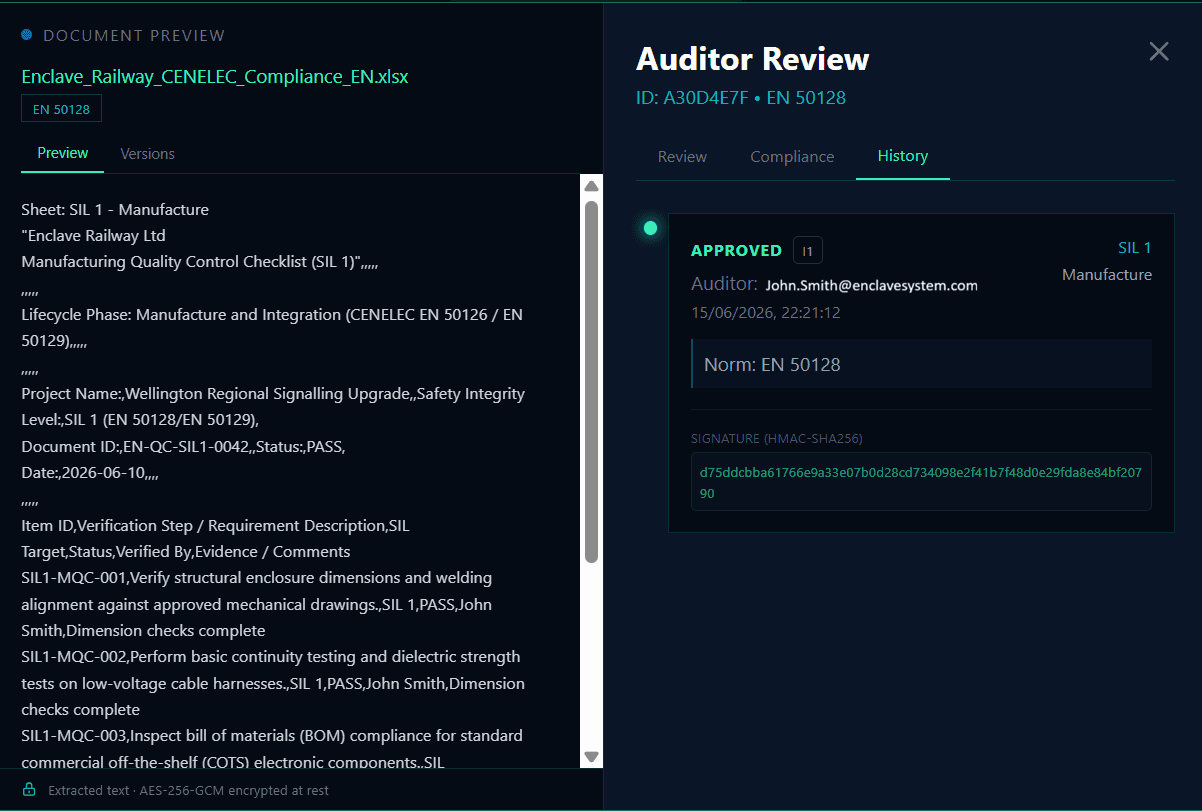
Click 'Review' on any document to see the AI's analysis side-by-side with the document contents. The Smart Classification system predicts the SIL, Lifecycle Phase, Discipline, and Document Type with a confidence score. Review the extracted text, verify the AI justification, and 'Approve & Sign' or 'Reject' the document.
3. Project Linkage
During the review process, you can optionally link a document directly to an active project. This moves the document out of the general queue and associates it with a specific project's workspace, maintaining strict architectural separation.
4. Project Workspaces & Completeness
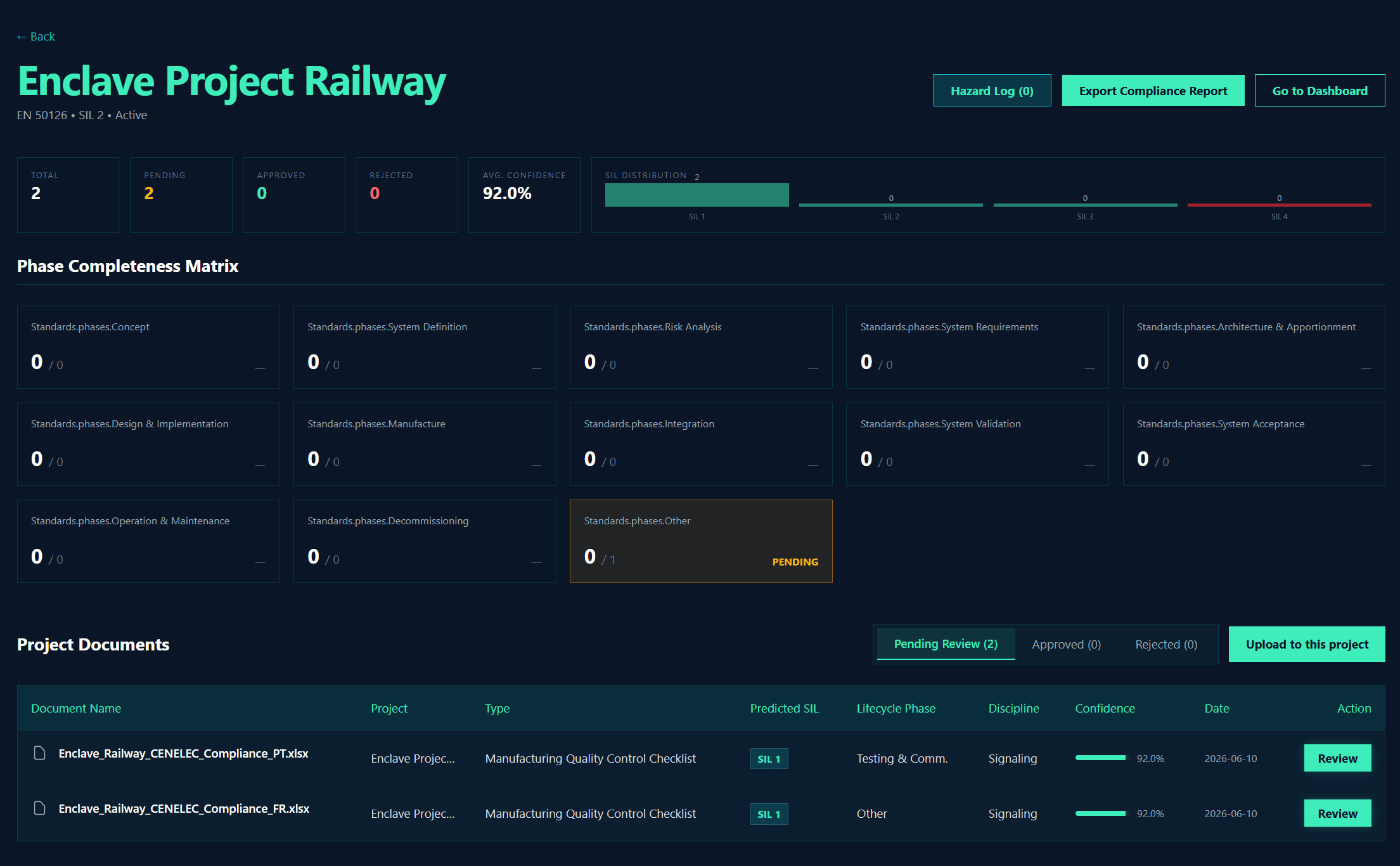
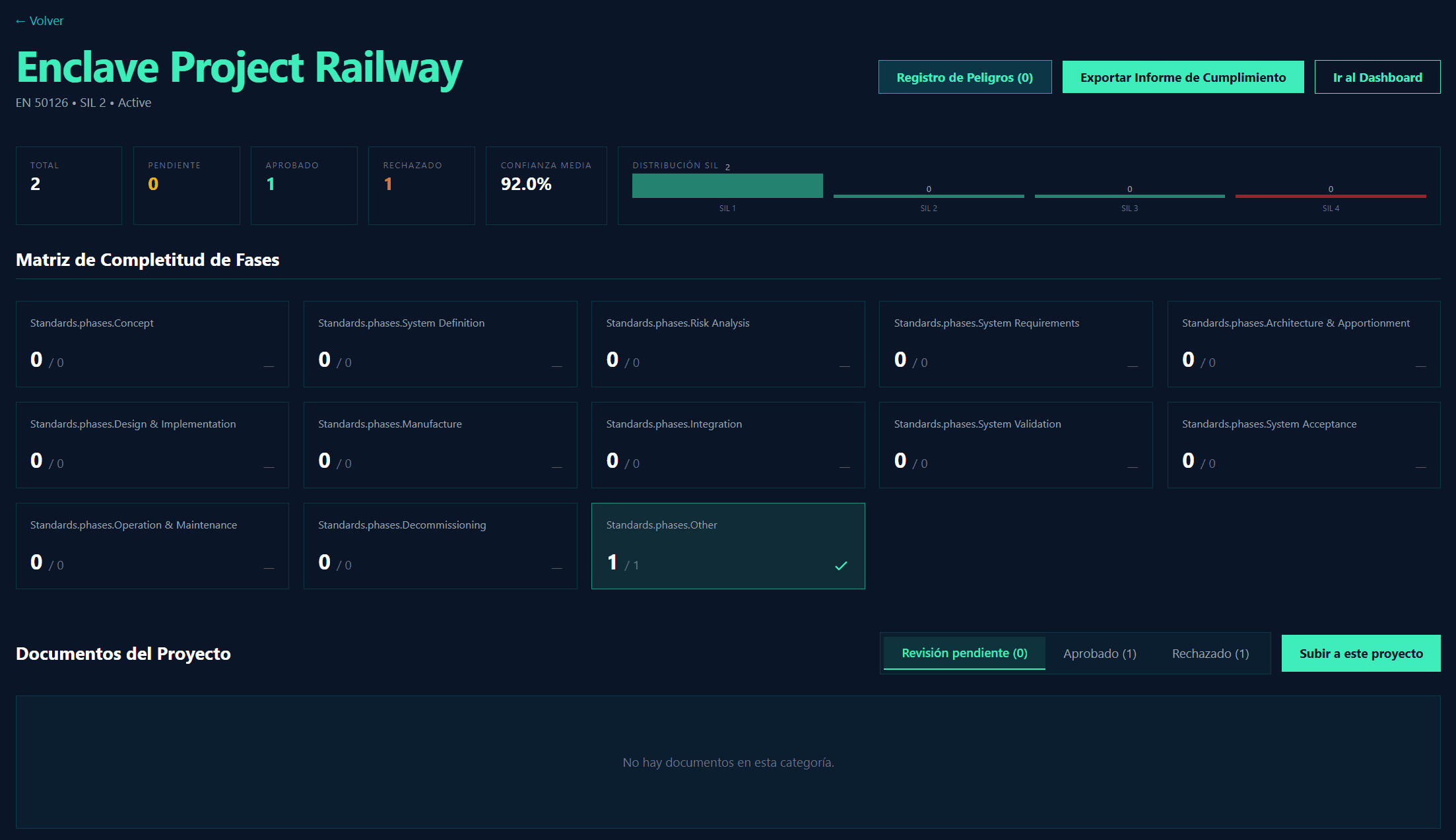
Within a Project Workspace, you can track the overall progress of your safety case. The Phase Completeness Matrix maps all approved documents against the required lifecycle phases (e.g., EN 50126/EN 50129). This provides a clear, audit-ready view of your project's compliance status.
5. Cryptographic Audit Trail & Digital Signatures
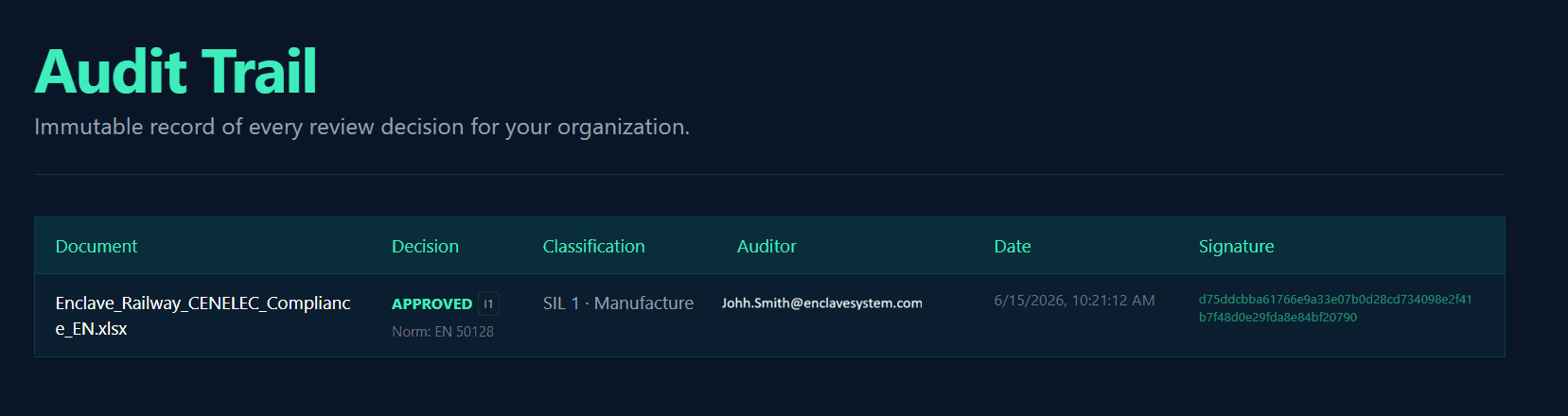
Every classification decision is cryptographically signed and stored in an immutable, append-only audit trail. This enforces Human-in-the-Loop verification with independence levels (I1/I2/I3) according to EN 50128 standards. You can also define your Compliance Checklist and assess documents against techniques and requirements.
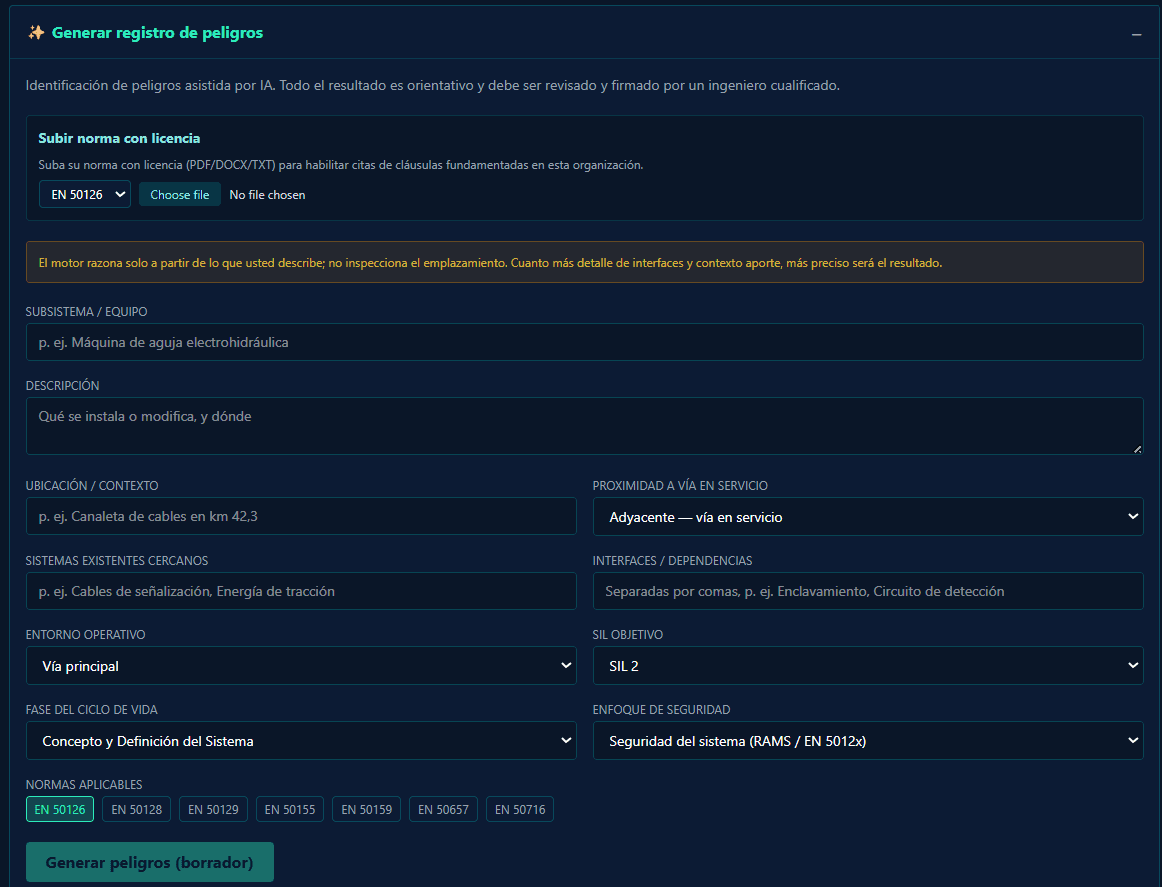
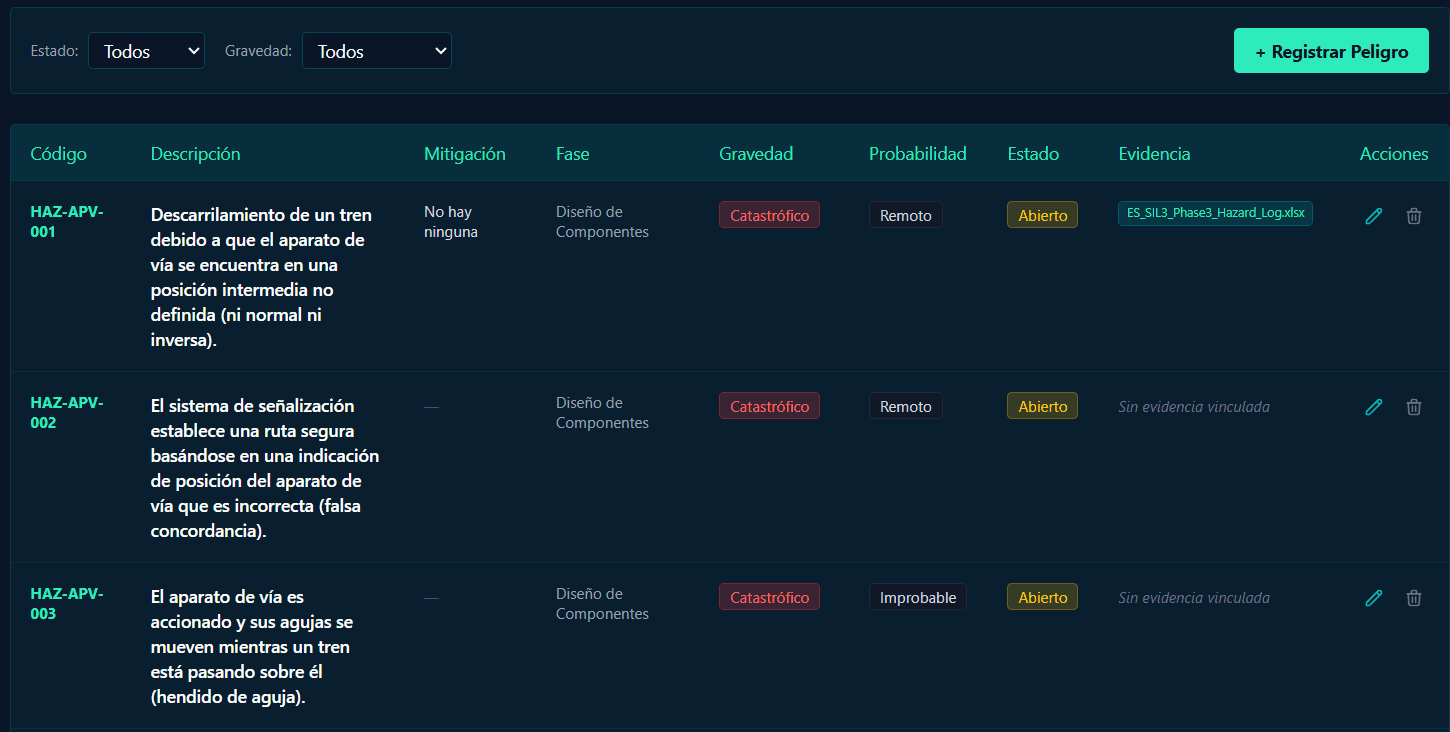
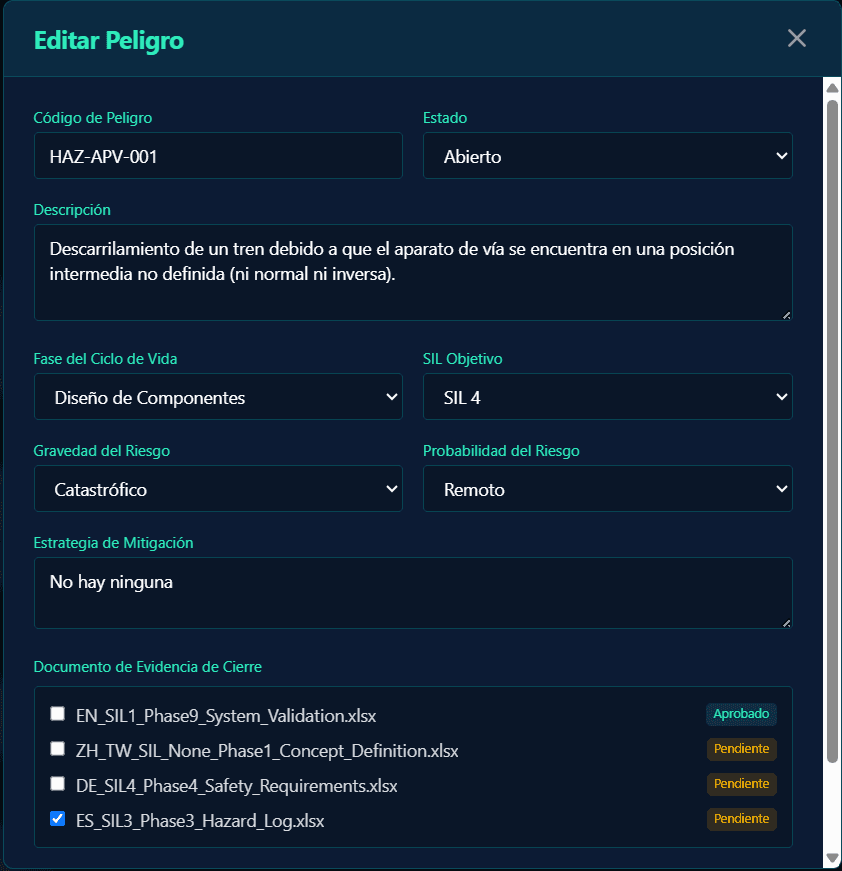
6. Hazard Log Generation & Management
Generate a hazard log based on an AI-assisted form. Track existing hazards, monitor their status, and manage mitigation strategies. You can edit hazard details, update lifecycle phases, set target SILs, and link closing evidence documents to maintain a complete safety record.